
Radiologik
Radio automation software actually made for radio
Radiologik Info
Radiologik runs FM and internet stations on Mac around the clock. It picks the music, fits the top of the hour, plays your IDs, ads and podcasts, and sounds like a proper station while it does it.
Trusted by LPFM, NCE-FM, college, high school and full-power FM stations. Even some major players in satellite and major streaming services use Radiologik. Licensed in more than 60 countries.
macOS 27 Golden Gate ready · Runs on macOS 11 and later · Native on Apple Silicon and Intel
Professional radio presentation
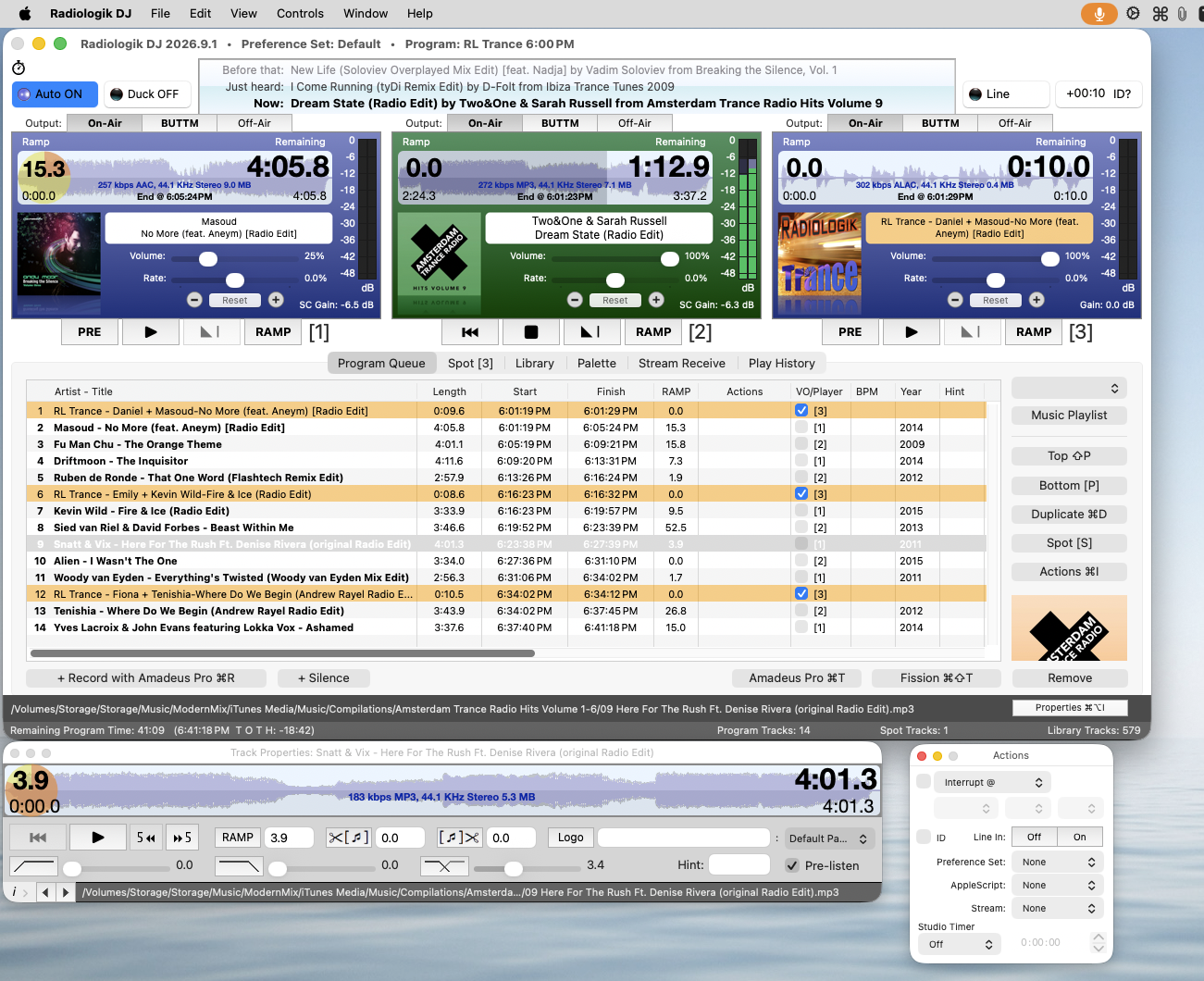
While some other 'radio' software and services just do crossfades like consumer apps and services do, listener's can tell that canned sound.
Radiologik’s Track Prep analyzes your music ahead of time. It sets each song’s levels and finds the right start, end and overlap points, even accelerates fades and starts if needed, so transitions sound like a skilled board operator is present. The amount of effect is fully adjustable. Track Prep can also set BPM and the Ramp, the instrumental intro before the vocals begin, so a live DJ always knows exactly how long they can talk and hit the post dead on.
Scheduling that fits many formats
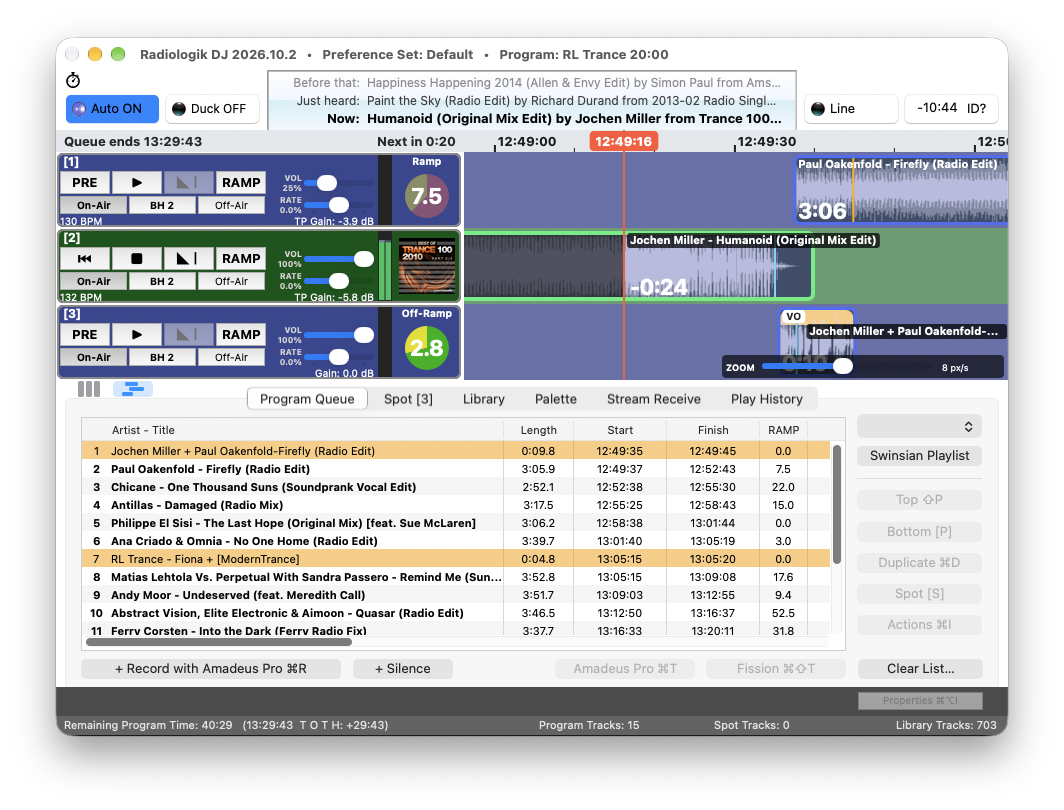
Radiologik gives you a weekly schedule built on the playlists and smart playlists you already know how to make:
- Picks and fills by time of day, with artist separation and no repeats
- Best-fit timing that lands station IDs exactly at the top of the hour
- Ads and spots on their own schedule, with flight dates, merged into your programming
- Voiceover intros and outros for specific songs, artists or albums
- Time announcements, podcasts that download and air automatically, and songs matched to dates for holiday programming or message of the day.
- The ability to schedule playback of a stream or line pass-through
- A silence sensor that watches for dead air
- Event-triggered scripts, or per program or independently scheduled
- Adaptable network publishing for web, RDS, streams and more
Go live anytime, easy switchover
Radiologik is just as good for live assist as for automation. A DJ can walk right in, take over, and hand control back to automation when they leave. Nothing needs to be shut down or reconfigured.
- Three on-air players with separate audio outputs, plus an off-air output for previewing anywhere
- A 20-button palette for jingles and sound effects, with 50 saved sets for different shows and DJs
- A searchable library for taking requests or finding a song that fits an exact amount of time
- Use MIDI Surfaces, D&R Mixers, or even rig a game controller board to your mixer for an array of options for hardware control
- An interface that stays out of your way: few interrupting dialogs, and the window comes to the front when a song is about to end
Radiologik DJ also works well for live events, venues and parties.
Your music is already in it
Radiologik uses the Music app that comes with every Mac as its library, or power user's can also use Swinsian. Your playlists and smart playlists are your building blocks for more sophisticated programming.
MP3, AAC, Apple Lossless, AIFF, FLAC, Ogg Vorbis, MP2 and WAV files are all supported. Each track’s performance settings are stored with the file itself, so they come along when you copy from a production to an on-air Mac.
A native Mac app
As you'd expect from MacinMind Software, Radiologik installs, looks and behaves like a proper Mac app. Mac's already lead in professional audio and video work and Radiologik brings that same standard to radio. A base Mac mini or an older Mac you already have is all you need.
To stream online, connect it to the encoder of your choice: Audio Hijack, LadioCast, BUTT and others, all on the same Mac. Then connect that encoder to LogiKast to serve right from your Mac, or to Live365 or other stream server.
Scheduler Basic or Advanced
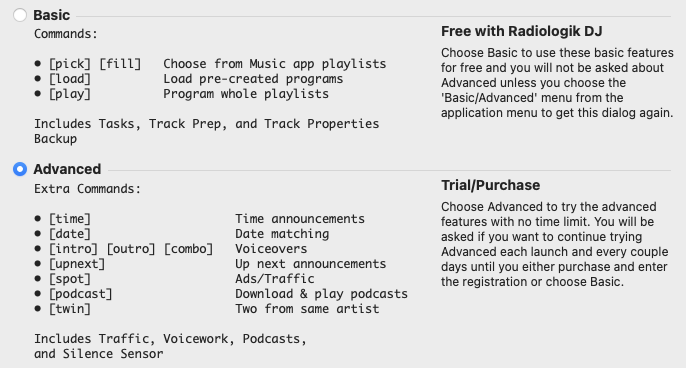
Scheduler Basic is included free with Radiologik DJ. It covers playlist-based scheduling, artist separation and top-of-hour timing.
Scheduler Advanced is an upgrade that adds voiceovers, ad and spot scheduling, podcasts, the silence sensor, time announcements and date matching. Both are the same download. See pricing →
Try everything, with no deadline
Every feature is included, Advanced too, and the trial never expires. Try it hands-on for about a week: occasional reminders need a click, so it can’t run unattended long-term until you register.
Learn by video

More than 4 hours of video tutorials, from a basic overview to advanced scheduling. It’s easy to get started, and as your needs grow you’ll find most of what you want has already been thought of.
Meet other Radiologik users
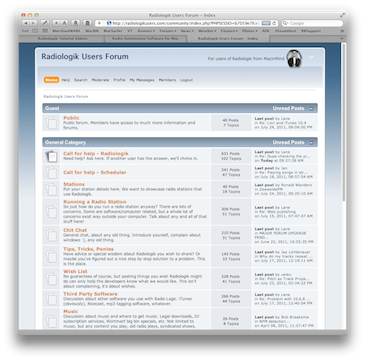
The independently run Radiologik Users Forum is the place to swap tips, get help from other stations, and talk radio and Mac.
Hear it on the air
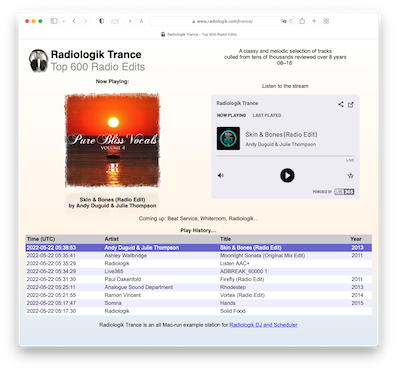
Radiologik Trance is a live station run entirely by Radiologik, streaming through Audio Hijack to Live365.
What Stations Say
“Radiologik DJ makes the station sound amazing and we are getting lots of compliments.”
Monica Starks — Station Manager, WNAK-LP 107.5
“Radiologik is still by far the best, and being on the Mac it is nice and stable. A joy to use… service second to none, and it never fails to surprise me in its feature-rich functions.”
Long-time customer
“The Track Prep is amazing! … Stunning software. Reliable, beautiful to look at, easy to use and the right price.”
Radiologik user
“Your software is so close to perfect it’s not funny… I really do appreciate the fact that you put so much work into this and it’s smooth.”
Community & internet broadcaster
“I have Radiologik Scheduler setup to automatically download the news 5 minutes before it airs. … Your interface for that is awesome. I got it right on the first try and it was very quick and easy to do!”
Philip Kushnir — Phresh Phil
“Has it really been thirteen years since I started using your awesome program? It’s still the gold standard. Radiologik has been bulletproof. With over 150,000 listeners, I depend on its excellent execution and ease of use. You have also greatly improved the feature set over the years, eliminating the need for several side programs I wrote to help manage the station’s content. It’s one piece of software that has been worth every penny I’ve invested… and then some.”
Scott Westerman — Keener13.com
“This has been one of our best purchases ever… I’ve lived in this piece of software for hundreds of hours now, and it’s excellent.”
Radiologik user since 2016
“Thank you for all your help this year and for such a great product. We continue to grow and owe some of our success to the quality of your product. It is one thing we can always count on to just work!”
Internet radio station
“I love your software. I think it is the best thing out there for radio automation by a long shot.”
Broadcast industry professional, UK
“I really appreciate what you do and I love your work… My 2011 MacBook Pro has been able to run continuously without any issues for up to 7 months without a reboot.”
Radiologik user, running on older Mac hardware
“RL is amazing! You have a customer for life.”
Radiologik DJ user
“I know that Radiologik DJ is a superb program… As always, world class customer service.”
Professional voice-over studio owner
“Your help is wonderful for little issues that pop up.”
Radiologik DJ user
Questions People Ask
Is it Mac only?
Yes, by design. Radiologik is built around the Music app, AppleScript and some unique macOS core technologies. Powerful yet simple to set up and reliable to run.
Can it play my Apple Music subscription?
No. Subscription track raw audio data that Radiologik would need is encrypted by Apple. Radiologik plays music files in any of the clear formats listed above.
What hardware do I need?
A base Mac mini is plenty for a 24/7 station, but you don’t need a new Mac. The current version runs on macOS 11 Big Sur and later, which covers Macs more than 10 years old. Older Radiologik versions run on OS X 10.10 Yosemite, on Macs as far back as 2010.
Why haven’t I heard of Radiologik?
Radiologik has grown mostly by word of mouth between stations, not advertising. Stations that try it, love it and stick with it. If you’re checking it out now, you’re already doing something most stations never do: looking past the default.
Do I need other software to stream online?
Yes, a stream encoder such as Audio Hijack, LadioCast or BUTT. That lets you use whichever streaming host and format you prefer.
Licensing streams
In the U.S., check out Live365.
Support before purchase?
Yes! Absolutely. Usually same day answers and often same day solutions. Support.
Put Radiologik on the air.
© 1998 – 2026 MacinMind Software, Inc.
All trademarks and registered trademarks appearing on macinmind.com are the property of their respective owners.