
LogiKast
Your own streaming server, made easy
LogiKast Info
A free Mac app that makes running an Icecast streaming server easy
Built for Radiologik users, and open to anyone. Use any Icecast-compatible encoder to send audio to LogiKast and then listeners connect to the stream. LogiKast wraps a bundled Icecast 2.5.0 audio streaming server in a native Mac app to make icecast's power accessible to all
Free & open source (GPLv2) · macOS 13 or later · Native on Apple Silicon and Intel
Getting started
- Install and open LogiKast. The Setup Assistant creates your first stream and starts the server.
- Enter the connection details in your encoder. LogiKast shows the host, port, mount and password with a copy button beside each.
- Share your stream. Give listeners the link, a QR code, or website player code to paste into your page.
The server side of streaming
LogiKast does no audio encoding itself. Your encoder, such as Audio Hijack, LadioCast, BUTT or BUTTM, turns your audio into MP3, AAC or HE-AAC and sends it to LogiKast. LogiKast is the server that hands that stream to your listeners. It complements Radiologik while not requiring it.
Even if you use a host like Live365, you can still use LogiKast as the first step for a local server where you never have to worry about your encoder disconnecting due to internet since it's right on that Mac. Then you can listen on your LAN directly or privately outside if you like. Live365 and other services can connect to your icecast server if you port forward to it on your router
It's also useful if you want to remote broadcast. Best if you VPN into the station and then have Radiologik DJ's Stream Receive connect to your remote setup running LogiKast.
Another use is as a reliable server for Radiologik Stream Receive to connect to where you can relay an outside stream through it and provide your own backup stream in case the outside one fails.
The server runs in the background as a per-user launch agent. It keeps going when you close the LogiKast window or quit the app, restarts itself if it stops, and starts when you log in. The app is simply the control panel.What you get
- One Icecast server with any number of streams (mounts), each with its own listener limit, burst size, fallback stream and stream info (name, genre, description, URL)
- Live status for every stream, with listener counts in the Dock badge and the menu bar
- Copy-and-paste connection details for your encoder, plus a Setup Assistant for new stations
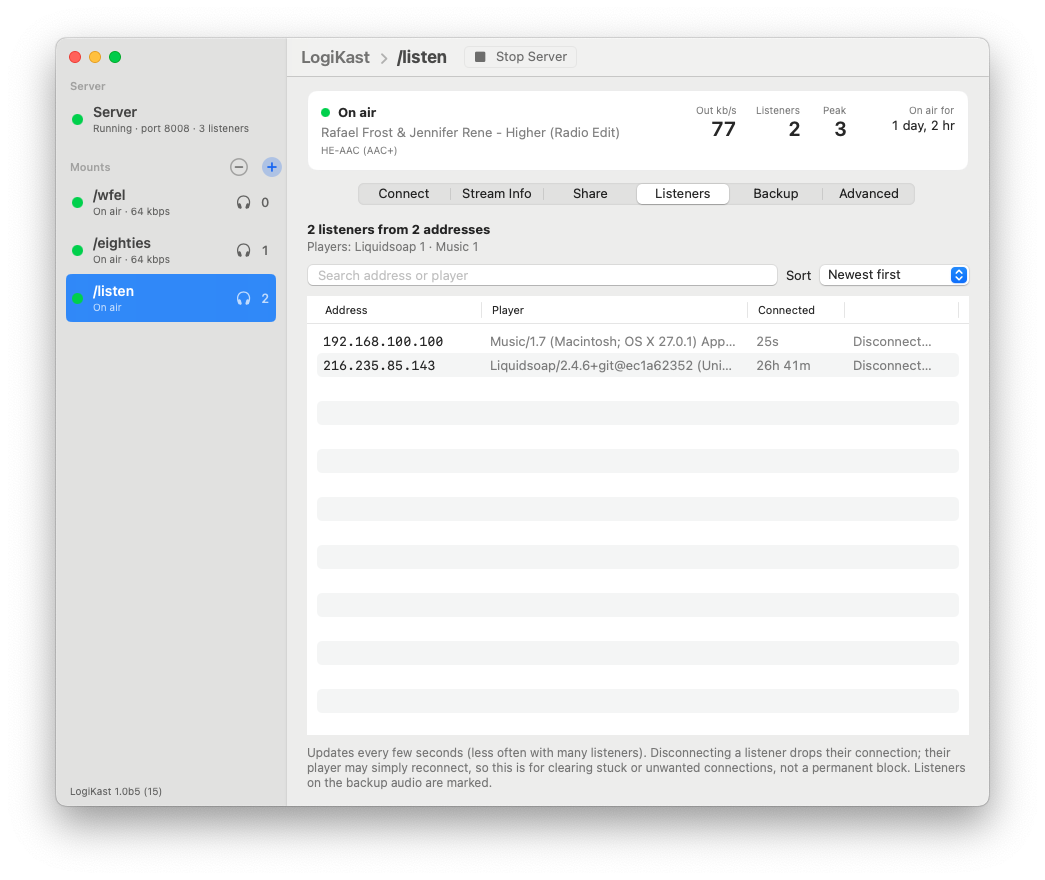
- A listener list you can search, showing who is connected and for how long, with a Disconnect button. Tested with 1,000 listeners
- A bandwidth meter per stream and in total, which only runs while the window is open so it costs nothing in the background
- One button that opens Icecast’s own web admin page, already signed in
- Backup audio: a file that plays automatically when your encoder drops off, then hands back to live when the encoder returns
- Share links, a QR code, and ready-to-paste website player code, with optional public directory listing
- Port and settings checks, with plain-language hints when something is wrong, such as naming the app already using a port
- Automatic updates, with a switch to include beta versions
Good to know
- To reach listeners outside your home or studio network, forward the server’s port (8000 by default) on your router to the Mac running LogiKast.
- Icecast needs its client limit to be more than twice its source limit. LogiKast sets valid limits for you.
Free, open source, and ready to try
Credits & License
LogiKast runs Icecast, the open source streaming server from the Xiph.Org Foundation and its contributors, under GPLv2. It also bundles libxml2, libxslt, libogg, libvorbis, libigloo, curl and RHash, each under its own license. LogiKast’s source code is GPLv2. The LogiKast icon is derived from the Radiologik icon, is © MacinMind Software, Inc., all rights reserved, and is not covered by the GPL.
© 1998 – 2026 MacinMind Software, Inc.
All trademarks and registered trademarks appearing on macinmind.com are the property of their respective owners.